
WM-KAT • APP: Automotive Parts Information Tool
Overview
WM-KAT • APP is a specialized desktop software tailored for automotive professionals, including car dealerships, repair shops, and parts suppliers. Designed to streamline the process of identifying and ordering spare parts, the application integrates data from the TecDoc database and multiple spare parts suppliers, delivering a unified source of high-quality technical information. With access to approximately 3.8 million articles, the software supports detailed queries based on vehicle data, article numbers, or universal search terms.
It enables users to retrieve accurate technical specifications, product images, and OEM comparisons, which are essential for efficient repair and inventory management. The app is particularly useful in environments where precision and speed are critical, such as in service centers handling diverse vehicle models. Access to the full functionality requires an active customer number and password from WM Fahrzeugteile.
The developer, WM Fahrzeugteile, focuses on delivering reliable automotive data solutions to industry professionals. The software is intended for use in commercial settings rather than personal vehicle maintenance. Its design reflects a commitment to accuracy, data integrity, and operational efficiency in the automotive supply chain.
Key Features & Capabilities
- Comprehensive Spare Parts Database: Access to around 3.8 million parts articles from TecDoc and other suppliers, offering extensive coverage across vehicle makes and models.
- Multi-Input Identification: Users can search for parts using vehicle data, WM article numbers, manufacturer article numbers, OE comparison numbers, or general keywords.
- Technical Data Access: Provides detailed technical specifications, including dimensions, compatibility, and installation notes, critical for accurate part selection.
- Visual Product Information: Displays high-quality product images for each article, aiding in visual verification and identification.
- Integrated OEM Data: Supports OEM comparisons, allowing users to match original equipment parts with suitable replacements.
- Efficient Ordering Workflow: Streamlines the process of identifying and ordering correct replacement parts, reducing errors and delays.
These features support real-world workflows such as diagnosing repair needs, verifying part compatibility before purchase, and managing inventory across multiple suppliers. For example, a technician can enter a vehicle’s VIN to instantly retrieve all relevant parts, while a parts manager can cross-reference an OE number with alternative options. The software enhances decision-making by consolidating fragmented data sources into a single, reliable platform. This reduces the risk of ordering incorrect parts and improves turnaround times in repair operations.
User Interface, Workflow & Performance
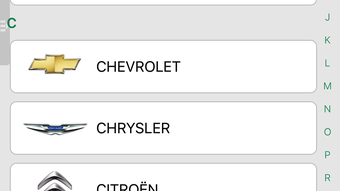
The user interface of WM-KAT • APP is structured to prioritize functionality and ease of navigation. Key input fields for vehicle data and article numbers are prominently placed, allowing users to initiate searches quickly. The layout supports a logical workflow: input → search → review results → access technical details → proceed to ordering.
Navigation between sections remains consistent, minimizing the learning curve for new users. The application’s performance is expected to be stable given its desktop nature and dedicated purpose. However, exact performance details such as CPU or RAM usage were not specified by the developer.
The software’s responsiveness may depend on the speed of the user’s internet connection, especially when retrieving large datasets or images. The developer did not provide additional system requirements or resource usage metrics. Stability and long-term reliability are assumed based on standard desktop application practices, though real-world behavior may vary depending on the environment.
Overall, the workflow is designed to support high-efficiency operations in time-sensitive settings.
Compatibility & System Requirements
WM-KAT • APP is compatible with both Windows and Mac operating systems, making it accessible to a broad range of users across different platforms. The software version is 1.0.0, with a total installation size of 1.5 GB. This size suggests the inclusion of a substantial database and multimedia assets such as product images and technical documentation.
The developer did not specify exact system requirements, including minimum CPU, RAM, or disk space needs. Compatibility information was partially provided, with no mention of specific OS versions or hardware configurations. Users should ensure their system meets general standards for running desktop applications of this scale.
The developer did not provide details on whether the software supports older or newer OS versions. It is recommended to verify system compatibility before installation, especially in enterprise environments with strict IT policies.
Pros and Cons
Pros
- Access to a large, verified database of 3.8 million spare parts articles
- Supports multiple search methods including VIN, article numbers, and universal terms
- Provides detailed technical data and high-quality product images
- Integrates OEM data and OE comparisons for accurate part matching
- Free to use, reducing operational costs for automotive businesses
- Designed for professional workflows in repair and parts management
Cons
- Requires an active customer number and password from WM Fahrzeugteile
- Exact system requirements were not listed
- Performance under heavy load or on low-end hardware is unknown
- No public information on update frequency or support channels
- Not available for mobile or web platforms
FAQ Section
Is WM-KAT • APP available for free?
Yes, the software is available at no cost. However, access to its full features requires an active customer number and password from WM Fahrzeugteile.
What operating systems does WM-KAT • APP support?
WM-KAT • APP is compatible with both Windows and Mac operating systems. Specific OS versions were not provided by the developer.
Do I need an internet connection to use the software?
Yes, an active internet connection is required to access the database and retrieve real-time information, including technical data and product images.
Can I use the app without a customer account?
No, the app requires an active customer number and password from WM Fahrzeugteile to unlock full functionality. Without authentication, access to the database and features is restricted.
How often is the software updated?
The developer did not provide information on update frequency. Users should check the official source for the latest version and release notes.
Final Thoughts + CTA
WM-KAT • APP stands out as a powerful, free tool designed specifically for automotive professionals who require accurate and fast access to spare parts information. Its integration of multiple data sources, combined with support for diverse search methods, makes it a valuable asset in repair and inventory workflows. While system requirements and update details are not fully disclosed, the software’s core functionality is robust and well-targeted.
Businesses seeking a reliable, no-cost solution for parts identification and ordering will find significant value in this application. The absence of licensing fees enhances its appeal, especially for small to mid-sized dealerships and repair centers. For professionals in the automotive sector, WM-KAT • APP offers a streamlined path to precision and efficiency.
Download WM-KAT • APP now.







